What Is the AMG Menu in Mercedes-Benz Vehicles?
The AMG menu is a special feature available exclusively on Mercedes-Benz vehicles equipped with an AMG engine.
AMG, which stands for Aufrecht, Melcher, Großaspach — the names of the brand's founders and the hometown of Aufrecht — is a high-performance division of Mercedes-Benz focused on sporty, hand-built engines.
Cars with the AMG engine often come with advanced features like body kits and sportier performance metrics.
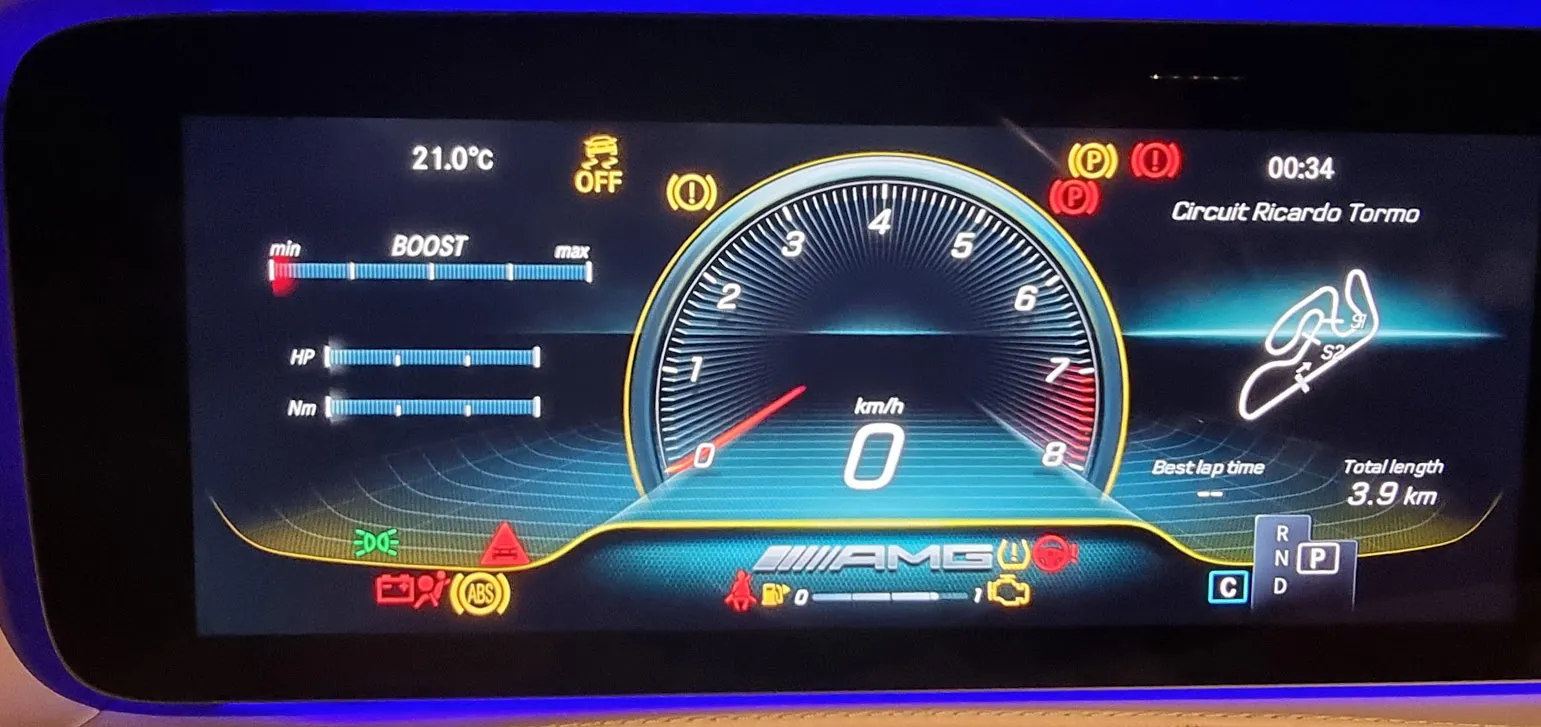
One of these features is the AMG menu, displayed in the instrument cluster. This specialized menu provides performance data such as:
- Engine oil temperature
- Transmission oil temperature
- Current gear status
- Sporty visual themes (on newer models)
Enable the AMG Menu with MBTools
Even if your car doesn't come factory-equipped with an AMG engine, you can unlock the AMG menu using the MBTools app — a powerful diagnostic and coding tool for Mercedes-Benz.
Supported Models
This guide focuses on the Mercedes-Benz W205 (facelift) but is applicable to other compatible models. Use your VIN to check if your car is eligible, before purchasing a coding license.
Requirements to Enable the AMG Menu
To get started, you'll need:
- A laptop with internet access
- A compatible Vehicle Communication Interface (VCI) such as Tactrix Openport
- The latest version of the MBTools app
- VIN verification to ensure compatibility
Step-by-Step: How to Activate the AMG Menu
Verify Compatibility
Check via your VIN whether the AMG menu coding is supported.
Install MBTools and Connect VCI
Ensure your diagnostic device is properly set up and connected to the vehicle.
Purchase Coding Permission
Buy the necessary coding access through the website
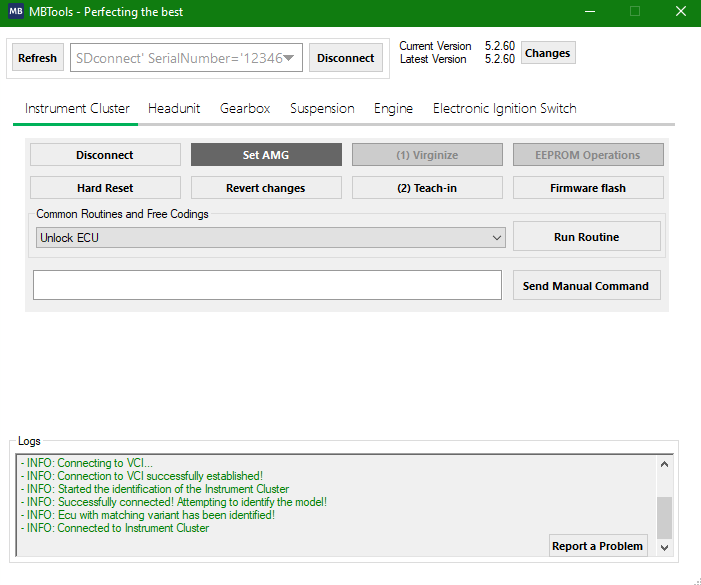
Access the AMG Customization Panel
Navigate to the Set AMG" section in the app
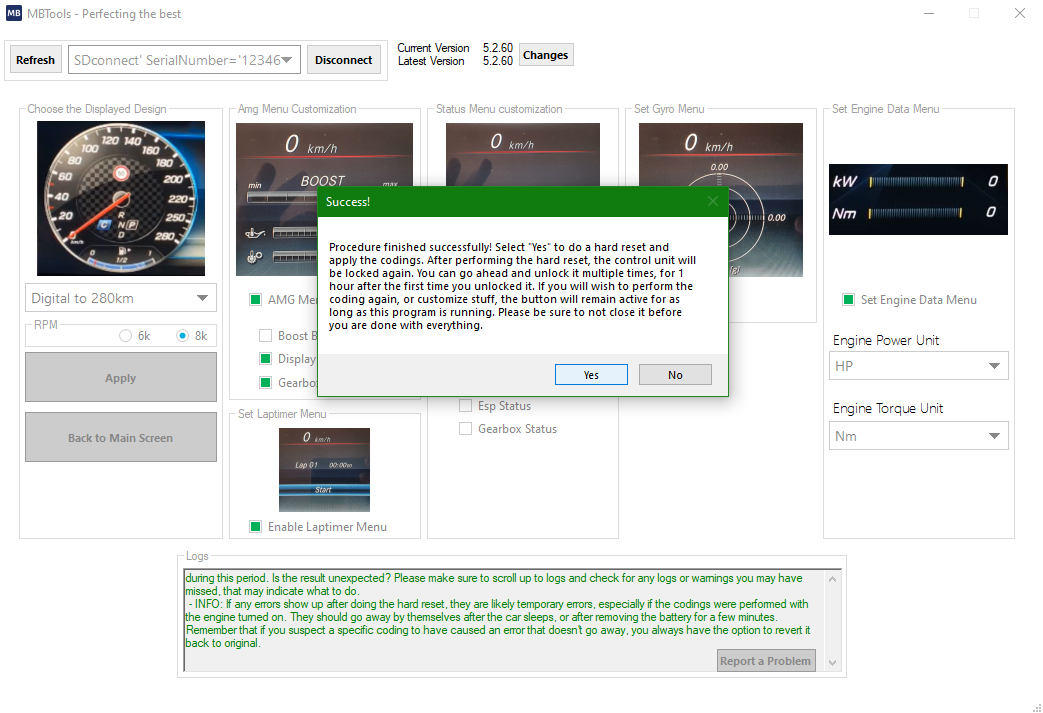
Customize the AMG Menu Features
Choose from a list of predefined settings, including temperature gauges and gear indicators. You can modify the options based on your preferences.
Apply and Save Changes
Confirm your selection and apply the codings. The system will ask you to restart the instrument cluster for the changes to take effect.
Explore Your New AMG Menu
Navigate through the updated menu in your cluster and enjoy the enhanced performance layout.

Troubleshooting Common Issues
Seed-Key Unlock Fails
Try restarting the cluster or reconnecting. In some cases, a very fast unlock (under 900ms) is needed - ensure a stable internet connection.
Firmware Update Required
Some clusters may need firmware flashing. MBTools will notify you before purchase if this is the case. The flashing process can take anywhere between 40 minutes to 20 hours, depending on the instrument cluster model, and used diagnostic device.
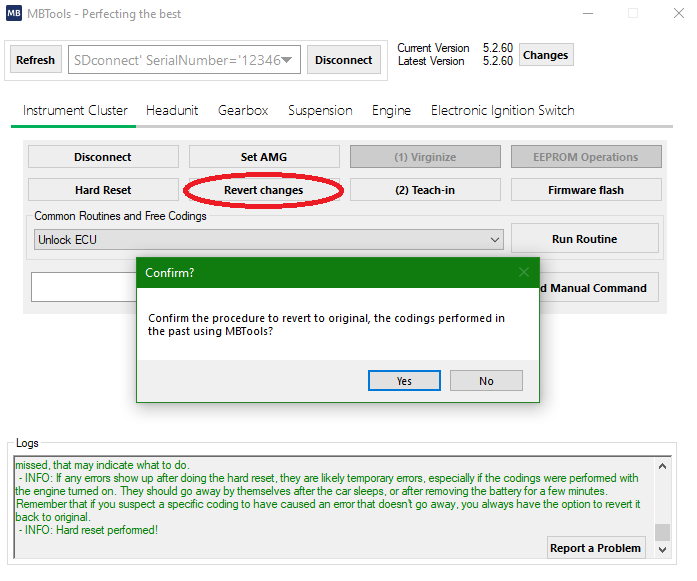
Revert AMG Menu Changes
Not satisfied? You can remove the AMG menu within 1 hour of activation and before closing MBTools for a full refund.
Watch the Process in Action
A user-created video demonstrates how to activate the AMG menu on a W221, showing how similar the procedure is across models.
Disclaimer
We are independent enthusiasts and developers, not affiliated with Mercedes-Benz. All trademarks belong to their respective owners.