Getting Started with Star3 CeBAS ECU Programming
A quick and simple workflow to follow when modifying your ECU codings:
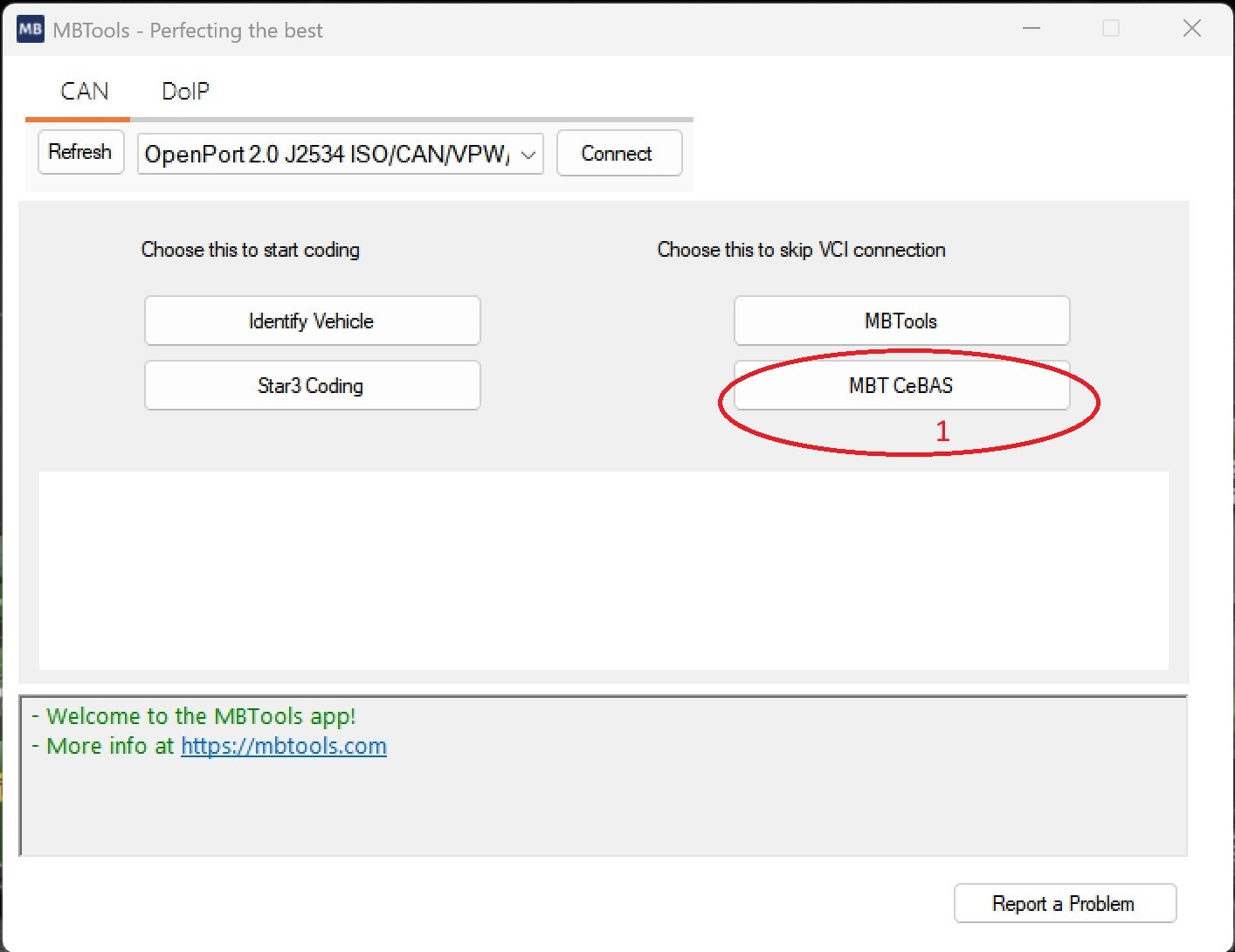
- Open MBTools App
- From the menu start MBT CeBAS.
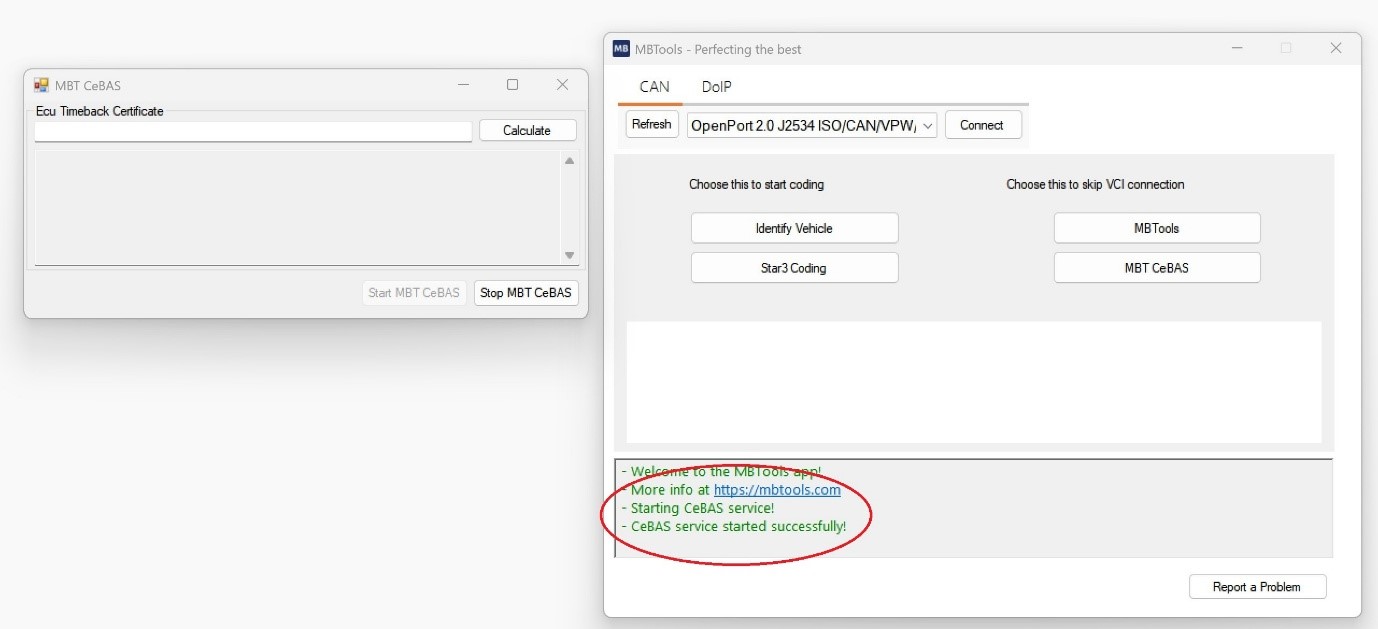
- Please DO NOT connect any VCI or ECU at this step.
- Make sure that MBT CeBAS has started succesfully.
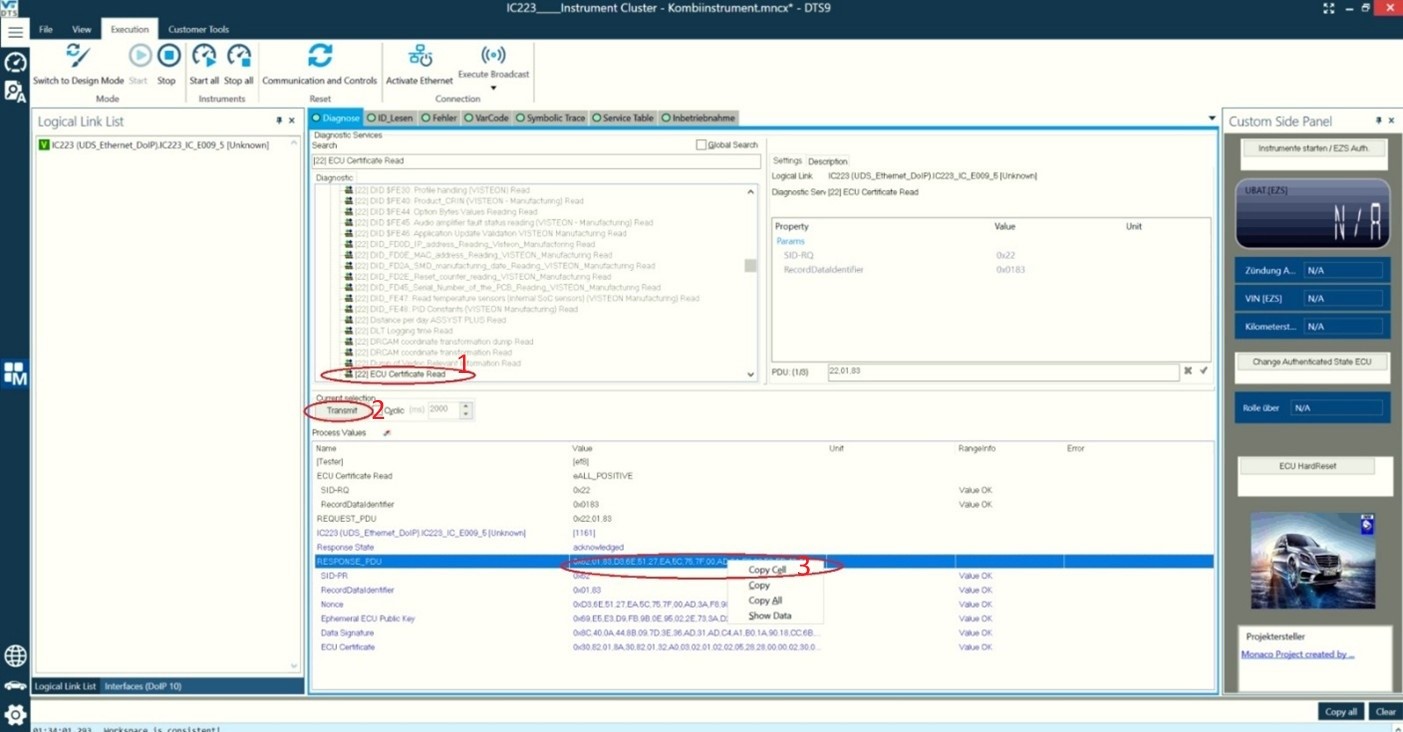
- Open DTS Monaco and choose the ECU you wish to code.
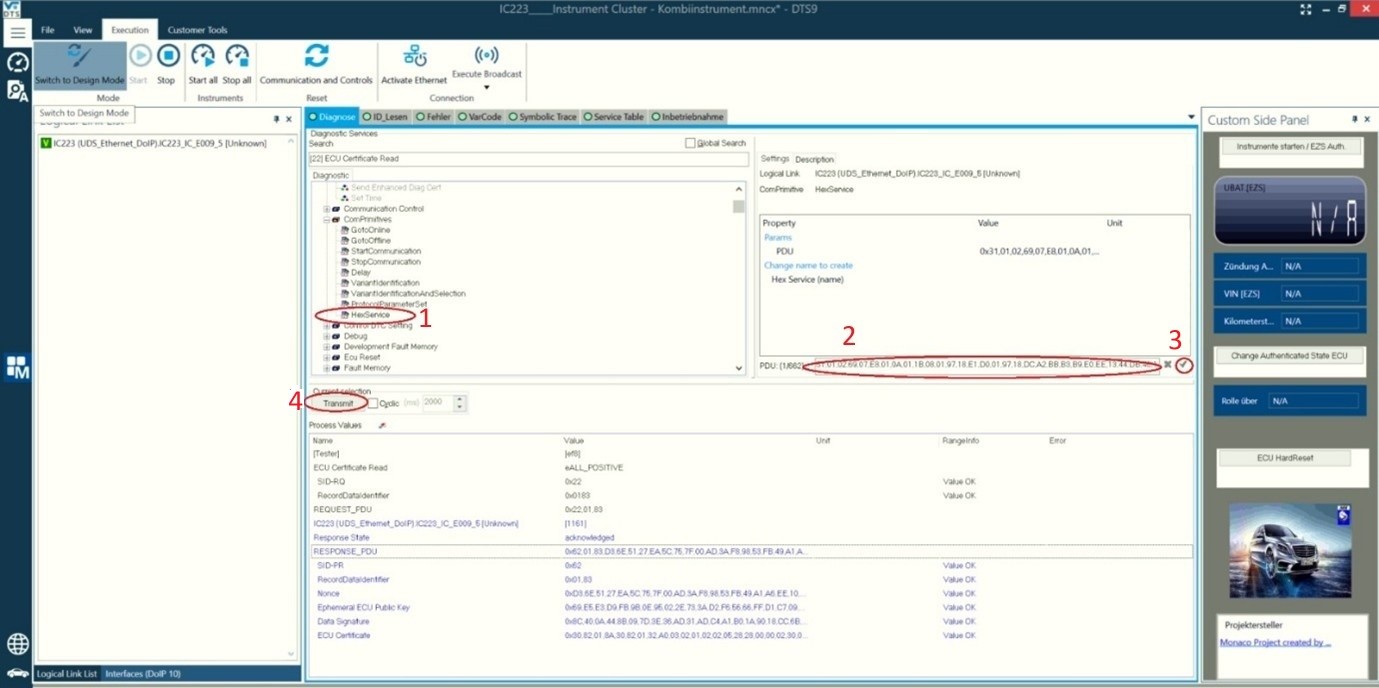
- Search for the ECU Certificate Read and run it by pressing the Transmit button.
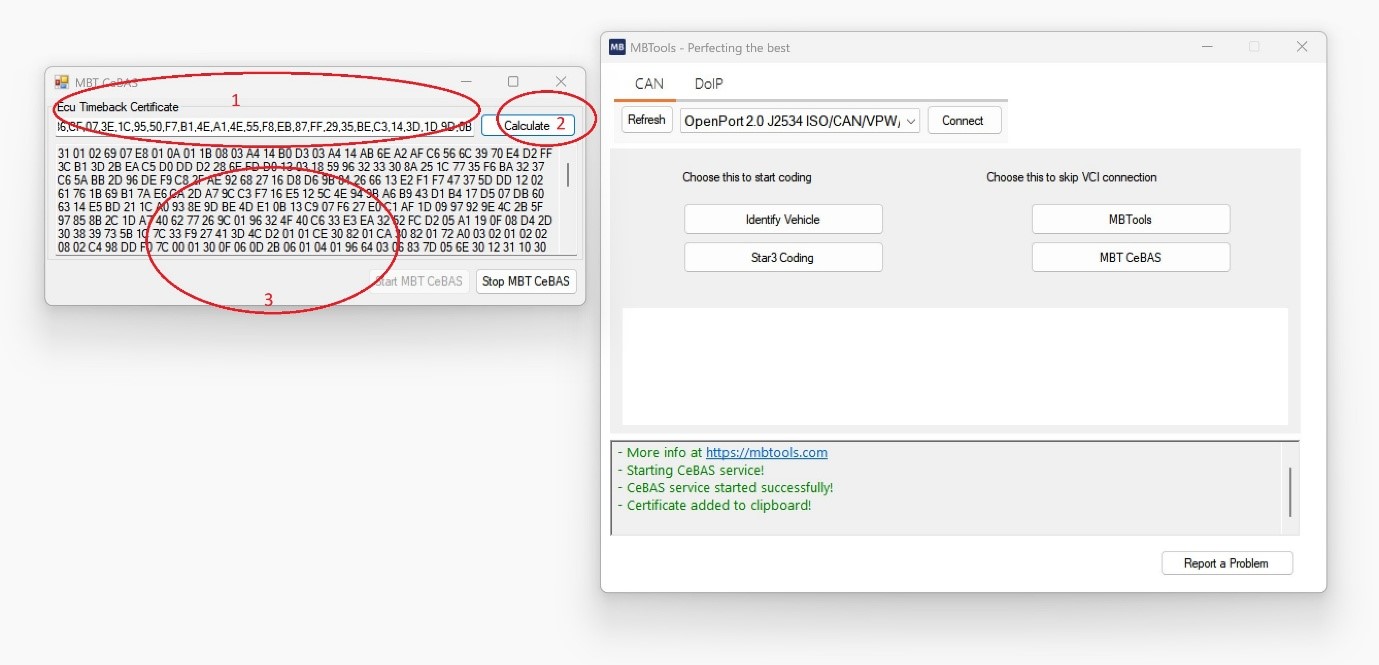
- Copy the response and pass it to MBT CeBAS so the key can be generated.
- Once the the key has been generated, go back to DTS Monaco.
- Choose the HexService.
- Paste the key on the PDU field then run the service by pressing the Transmit button.
- Select the Change Authenticated State service and set Role to Development ENHANCED
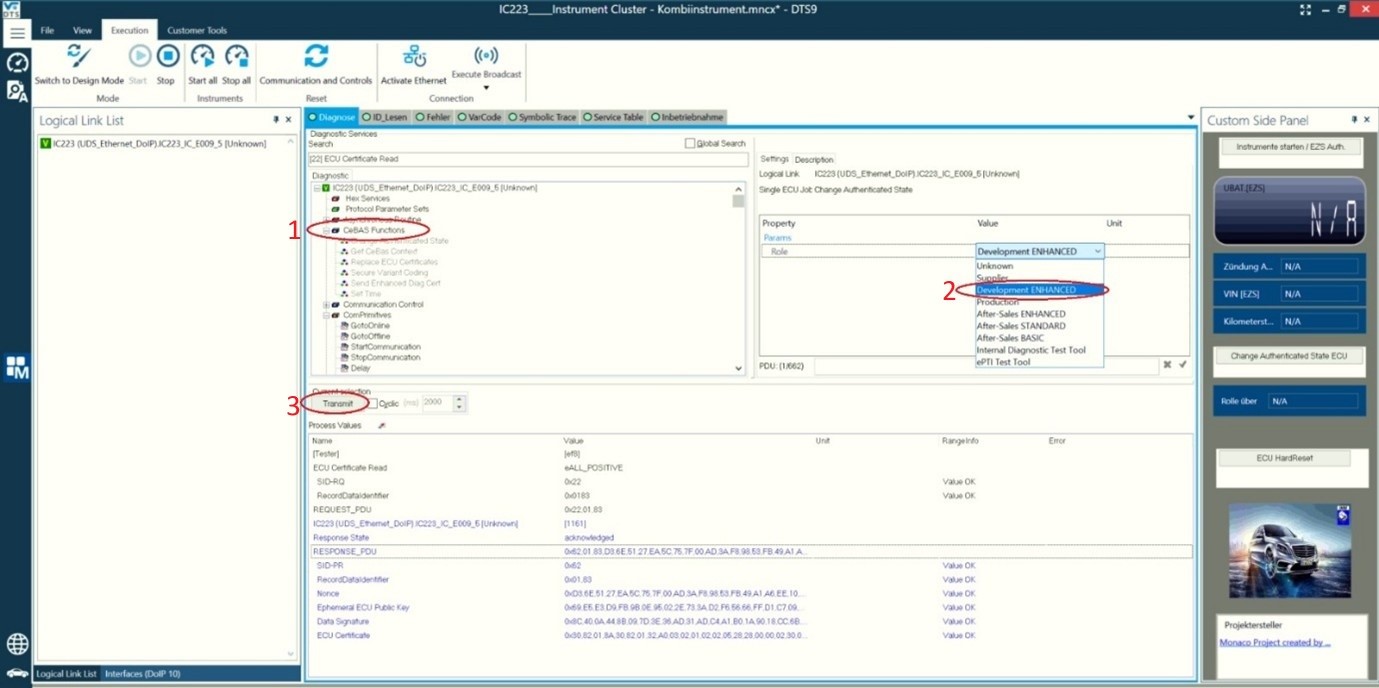
You are now ready to code the ECU.
Remember that after doing a coding, you must run the “Sync to Non-Volatile Memory Start” routine, otherwise, after doing hard reset, the codings will be reverted
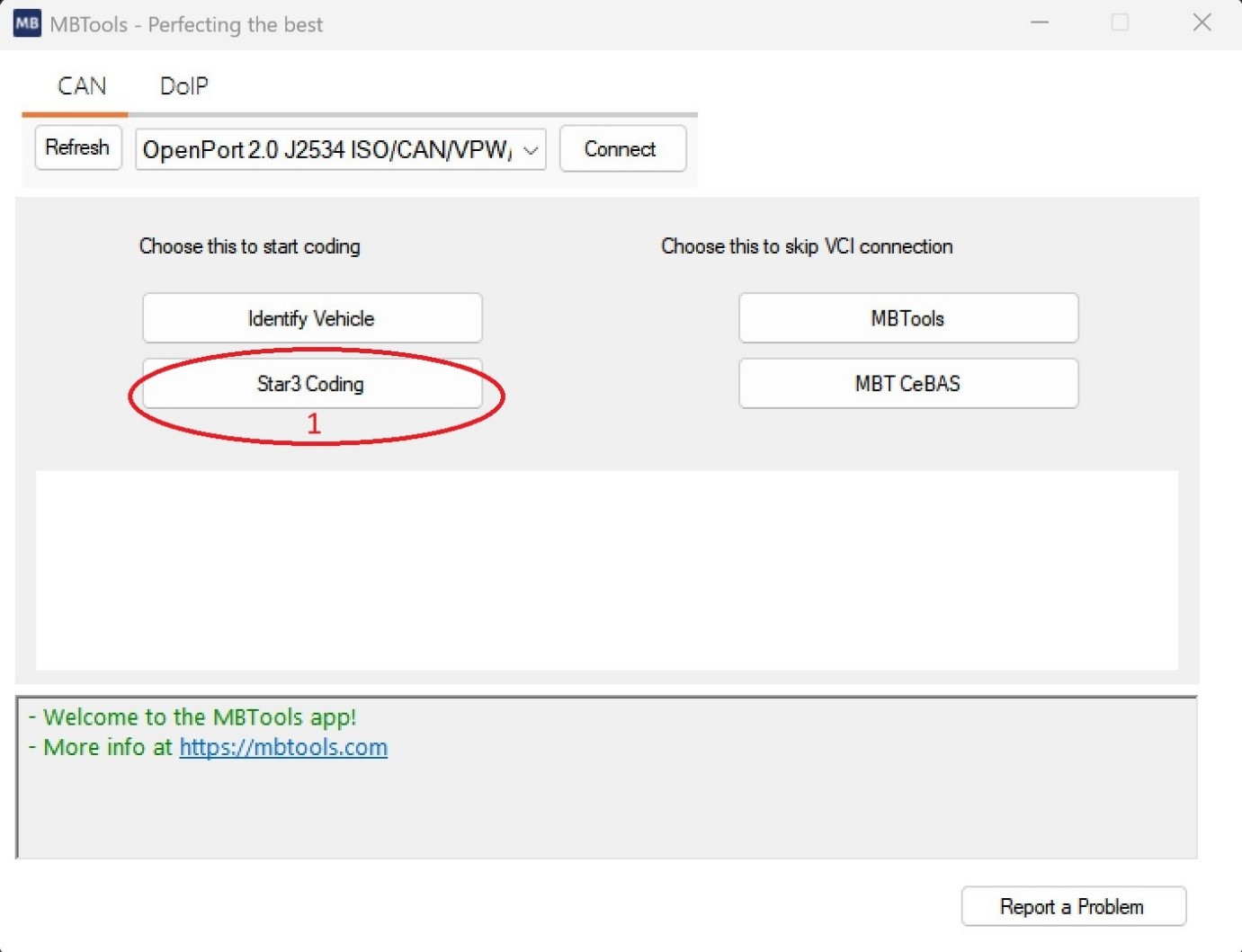
After you are done with everything, go back to the MBTools App and start Star3 Coding
Connect to the vehicle, then run SecOC Status.
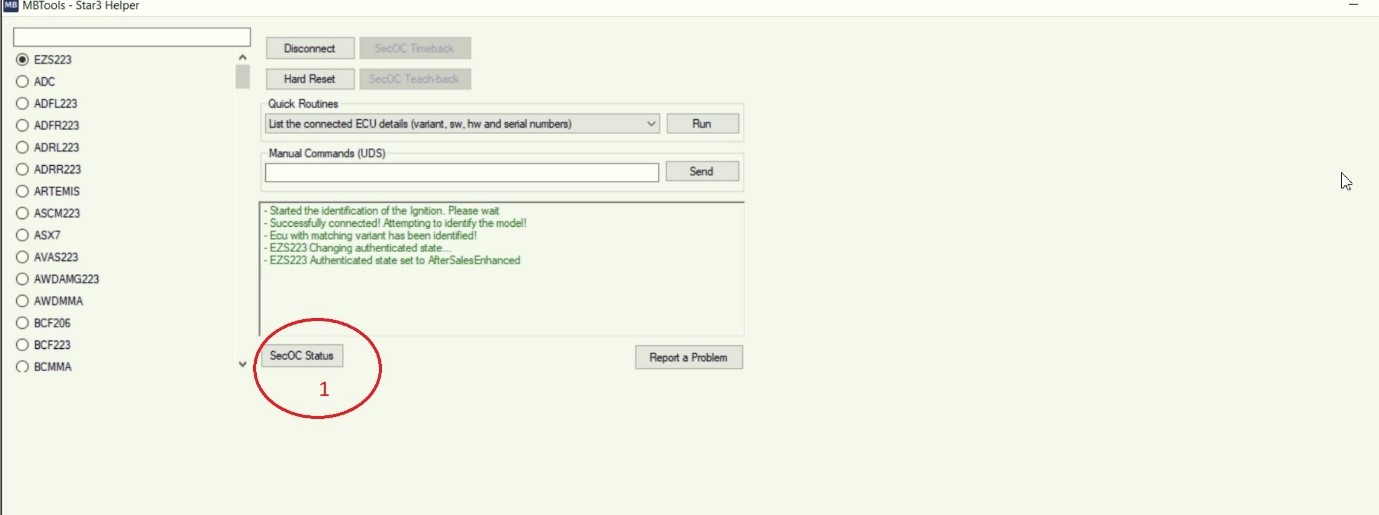
Now you need to select the EZS of your car, in this example we have EZS223 and all the ecu’s that you code with DTS Monaco.
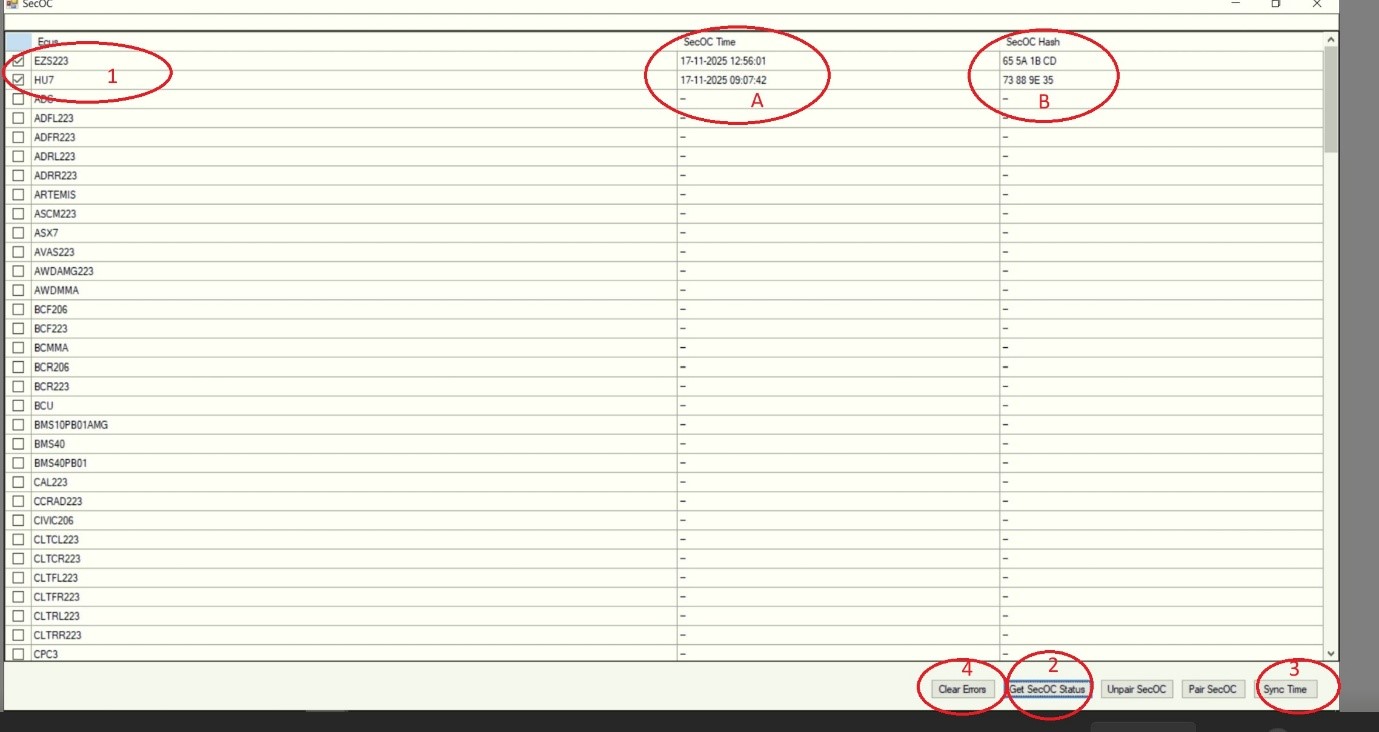
Please note that the SecOC Time for all Ecus has to have the same current time. If they are different you must run Sync Time
Also if the SecOC Hash is different from your EZS you must run Pair SecOC.
Once you have the same SecOC Time and same SecOC Hash you can clear the errors.