What is a firmware in a vehicle?
A firmware is a specialized type of software tightly integrated with the hardware it controls, managing its essential operations. In the context of vehicles, each Electronic Control Unit (ECU) relies on firmware to control and coordinate systems such as the engine, transmission, infotainment, and instrument cluster. Updating firmware can improve compatibility, unlock new features, and resolve bugs.

Why Update Mercedes-Benz Firmware?
Firmware updates are not routine but may be necessary in the following cases:
- Performance Improvements: Older ECUs may run outdated software that lacks optimizations.
- Feature Unlocking: Certain features like CarPlay, Android Auto, or AMG menus may require newer firmware.
- Bug Fixes: Some firmware versions cause instability or communication errors.
Note: Firmware flashing is a sensitive process. Always follow instructions carefully and use proper equipment to avoid damaging your ECU.
Prerequisites for Safe Firmware Flashing
Before beginning, ensure the following requirements are met:
- Reliable VCI: Use a Vehicle Communication Interface compatible with Mercedes diagnostics.
- Windows 10+ Laptop: Ensure your device remains powered throughout the process.
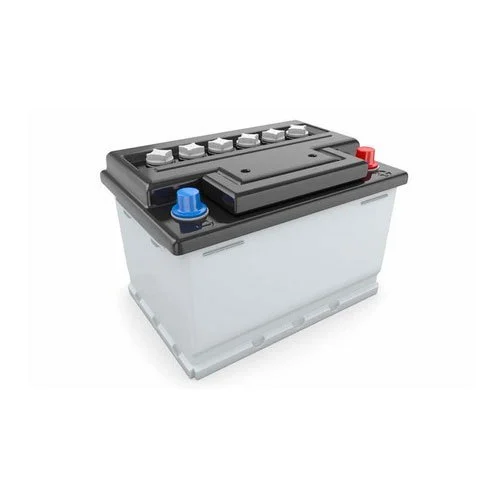
- Stable Power Supply: Use a 12V charger capable of delivering at least 50 Amps.
- Firmware File: Know the exact firmware reference number and correct file format (CFF or SMR-F).
Tip: Avoid using battery power on your laptop. Disable sleep/hibernate mode.
Where to get Mercedes Update files?
We provide access to a library of Mercedes firmware files (CFF and SMR-F), to customers with an active purchase. Each file has a 10-digit reference number. The first three digits often indicate the vehicle's chassis (e.g., 204 for W204). Files starting with "000" are generic.
Knowing the correct firmware file and format is essential, as incorrect flashing may disable the ECU.
Flashing Methods and Tools
- MBTools app
- Best for: Beginners and most users
- Pros: Automatic file download, user-friendly interface, OBD flashing support
- Use Case: Coding operations that require flashing will guide you through the correct firmware and instructions
- Xentry
- Best for: Dealerships and professional garages
- Pros: OEM-grade diagnostics and firmware flashing
- Cons: Requires an online Mercedes-Benz account and official file access
- Vediamo is a software used in Mercedes factories, for testing and development. It supports flashing firmwares on older control units. It requires you to known the reference of the file you will flash.
- Best for: Older ECUs (legacy vehicles)
- Pros: Factory-level control
- Cons: Requires manual firmware reference and deeper technical knowledge
By clicking play, you consent to YouTube's use of cookies. See their Cookie Policy for more information. You can change your cookie settings or revoke your consent at any time through the "Manage Cookie Preferences" link. - DTS Monaco
- Best for: Advanced users, DoIP and CAN flashing
- Pros: Supports modern and legacy ECUs, robust functionality
- Cons: Complex interface, not beginner-friendly
Note: The MBTools app will link you to the right video tutorial and files depending on your ECU.
Flashing Process Overview
- Preparation:
- Connect your VCI to the OBD port or ECU bench setup
- Connect stable 12V power and laptop
- File Selection:
- Use MBTools or locate the correct firmware reference manually
- Flash:
- Initiate flashing via your chosen software
- Do not interrupt the process
- Completion:
- After successful flashing, restart the ECU if necessary
- Verify operation and diagnostic readiness
Advanced users: may also flash on the bench using manual wiring for speed and control. However, this falls outside the scope of this beginner-oriented guide.
FAQs
How do I find the correct Mercedes flash file name?
There’s no automated way to determine this. Identifying the correct file reference requires experience or guidance from MBTools, which includes this info with supported codings.
What happens if the flashing process is interrupted?
Most modern ECUs have a fail-safe allowing the flash to resume. However, interruptions should be avoided as they can still pose a risk of corruption.
What if flashing fails completely?
If the flashing process fails and the ECU becomes non-functional, you may retry flashing. If firmware isn't restored, the ECU can be considered bricked—e.g., a cluster might show a blank screen until fully re-flashed.
Can firmware flashing unlock new features?
Yes. Features like Apple CarPlay, Android Auto, and digital display enhancements can be enabled with newer firmware.
Can I flash the firmware on the bench?
Yes. This is faster and safer in some situations, especially if you're familiar with wiring ECUs directly. However, proper CAN termination and power regulation are essential.
Optimize your Mercedes-Benz with the right firmware — safer, faster, and smarter using MBTools.