1. Check by VIN, see what codings are offered for your vehicle, and apply them
Enter the complete 17-character VIN.
Easily find available do-it-yourself Mercedes coding activations for your specific vehicle by entering your VIN (Vehicle Identification Number). Experiment and customize with a 1-hour grace period to perfect your settings. For comprehensive Mercedes coding lifetime solutions, visit our Promotions Page. Need assistance? Our support staff also offer set-up and activation remote assistance for an additional fee.
Enter your VIN to see available codings
Please note:
- If after checking, you don't find the coding you're looking for, listed below, it means we don't currently offer it, please do not ask for it, the answer will be the same.
- VIN check functionality is subject to Third-Party Server availability.
- This page displays the available codings we have to offer for your vehicle. To check which option codes and equipment your car already comes with, please consult our free VIN decoder
A diagnostic device is the interface that connects your PC to the car, and will let you perform the codings.
There are multiple ones to choose from, depending on your budget and needs. The ones below have been tested and are known to work, but other diagnostic devices might work as well.
It is a matter of downloading the app below, install the drivers, and if the connection to your vehicle is successful, you are good to go.
Tactrix Openport 2.0 (CAN only)
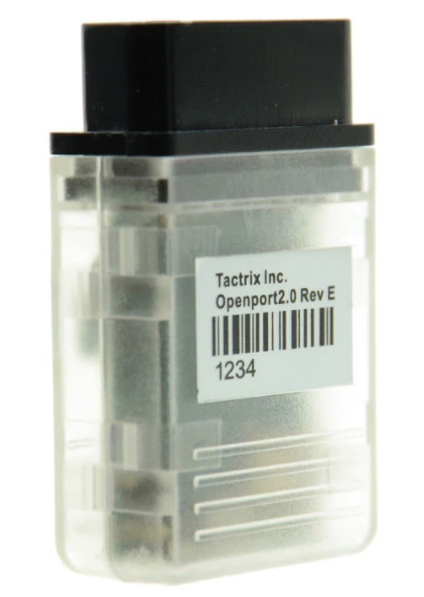
Prices from: 49 €
A budget oriented device. Can do most codings, but it's not recommended for flashing.
BMW Enet (DoIP only)
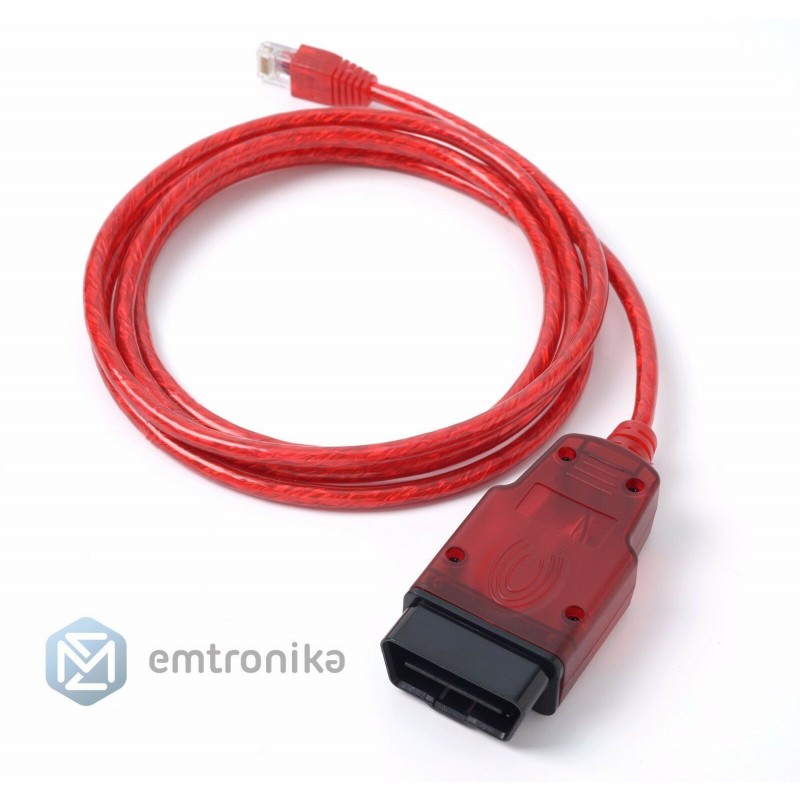
Prices from: 30 €
Suitable for coding Carplay, flashing headunits, coding newer Star3 vehicles (w206, w223, etc)
VCX SE - (CAN and DoIP)

Prices from: 280 €
A budget diagnostic device that supports flashing and coding all sorts of control units, including DoIP hardware.
Bosch C6 (CAN and DoIP)

Prices from: 1675 €
Genuine hardware - the best options to consider, for power users.
The listed devices are sold by our trusted partner Emtronika
To be able to fully enjoy the benefits of MBTools,you will need to fulfill the following requirements:
- A Windows 10 or 11 PC
- A reliable internet connection,throughout the whole time using the MBTools app.
- You will be able to set up the app and the drivers, but the paid activation and coding buttons will only become available once you have made the purchase, at step 3.
- If you have the MBTools app running, while making the purchase,please be sure to restart it afterwards, so that your permissions are refreshed, and the buttons become available.
Check the video below for a demo of how the activation works
The following video is a good example of how our tool works, and it was created by one of our satisfied user AmazingRoad who offers services to end-customers, using our program.
Unlock New Features for Your Mercedes-Benz with MBTools
Unlock exciting new features like the AMG Menu or Apple CarPlay for your Mercedes. Our MBTools platform makes it simple: use a compatible diagnostic device (e.g.,SDconnect C4, Tactrix Openport, VCX SE), check available codings for your VIN, purchase, and activate. Enhance your Mercedes driving experience today!
Discover How Mercedes Coding Works, at our Guides Page.

At MBTools, your peace of mind is paramount. We back up all original Mercedes codings, ensuring you can safely explore new features without affecting your warranty. Not completely satisfied? Revert to original settings and request a full refund within one hour of coding. Your Mercedes-Benz customization is risk-free!
Learn more about our Refund Policy.