1. Per FIN verfügbare Codierungen prüfen und anwenden
Finde ganz einfach verfügbare Mercedes-Codierungen zur Selbstaktivierung für dein Fahrzeug, indem du deine FIN (Fahrzeug-Identifizierungsnummer). eingibst. Mit einer Kulanzzeit von einer Stunde kannst du Einstellungen ausprobieren und optimal anpassen. Dauerhafte Mercedes-Codierlösungen, findest du auf unsererAngebotsseite. Du benötigst Hilfe? Unser Support bietet gegen Aufpreis auch Fernunterstützung bei Einrichtung und Aktivierung an.
FIN eingeben, um verfügbare Codierungen anzuzeigen
Fahrzeug: Mercedes-Benz A 180 Sedan - Mopf
Baureihe: w176
Zeige alle möglichen Steuergeräte dieses Fahrzeugs
Bitte beachte:
– Wenn die gesuchte Codierung nach der Prüfung nicht unten aufgeführt wird, bieten wir sie derzeit nicht an. Bitte frage sie nicht gesondert an, da die Antwort dieselbe bleibt.
– Die FIN-Abfrage hängt von der Verfügbarkeit eines Drittanbieter-Servers ab.
– Diese Seite zeigt die Codierungen, die wir für dein Fahrzeug anbieten. Welche SA-Codes und Ausstattungen bereits vorhanden sind, findest du in unserem kostenlosen FIN-Decoder
Ein Diagnosegerät verbindet deinen PC mit dem Fahrzeug und ermöglicht die Codierung.
Je nach Budget und Anforderungen stehen verschiedene Geräte zur Auswahl. Die folgenden Geräte wurden getestet und funktionieren zuverlässig; möglicherweise eignen sich auch andere Diagnosegeräte.
Lade die App herunter, installiere die Treiber und prüfe die Verbindung zum Fahrzeug. Wenn die Verbindung erfolgreich ist, kannst du beginnen.
Tactrix Openport 2.0 (nur CAN)
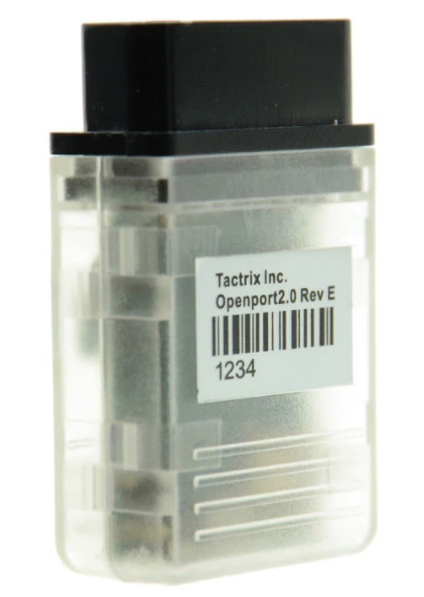
Preise ab: 49 €
Preisgünstiges Gerät für die meisten Codierungen, jedoch nicht zum Flashen empfohlen.
BMW ENET (nur DoIP)
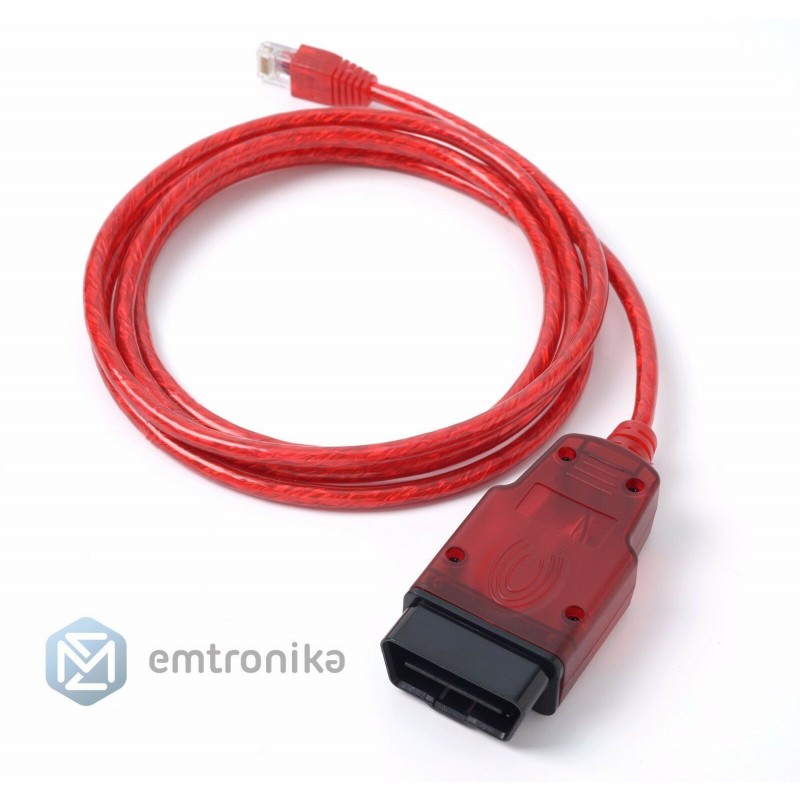
Preise ab: 30 €
Geeignet für CarPlay-Codierungen, das Flashen von Headunits und das Codieren neuerer Star3-Fahrzeuge wie W206 oder W223.
VCX SE (CAN und DoIP)
Preise ab: 280 €
Preisgünstiges Diagnosegerät zum Flashen und Codieren verschiedenster Steuergeräte einschließlich DoIP-Hardware.
Die aufgeführten Geräte werden von unserem vertrauenswürdigen Partner verkauft: Emtronika
Um alle Vorteile von MBTools,nutzen zu können, benötigst du:
– einen PC mit Windows 10 oder 11
– eine zuverlässige Internetverbindung,während der gesamten Nutzung der MBTools-App.
– Du kannst App und Treiber einrichten. Die kostenpflichtigen Aktivierungs- und Codierschaltflächen werden jedoch erst nach dem Kauf in Schritt 3 freigeschaltet.
– Wenn die MBTools-App während des Kaufs geöffnet ist,starte sie anschließend neu, damit deine Berechtigungen aktualisiert werden, und die Schaltflächen verfügbar sind.
Das folgende Video zeigt beispielhaft den Ablauf einer Aktivierung
Das folgende Video zeigt anschaulich, wie unser Werkzeug funktioniert. Es wurde von unserem zufriedenen Nutzer AmazingRoad erstellt, der mit unserem Programm Dienstleistungen für Endkunden anbietet.
Instrument Cluster AMG Menu
Beschreibung
Activate the AMG menu on the car, and customize it to show Water, Oil and Gearbox temperatures
The coding procedure takes 5 minutes.
Hinweise
After enabling the AMG menu, the instant fuel usage menu is lost.
In some very rare cases, the current transmission mode (E/C/M/S) is no longer displayed. For this, please use the fix from the Common codings and routines dropdown menu in the MBTools app.
The AMG or Brabus boot image only works on a select few models.
Instrument Cluster Mileage Renew
Beschreibung
This product fixes a common issue that occurs when you replace your car's instrument cluster. If your new cluster shows dashes instead of mileage, this solution resets the mileage to 0, allowing you to set the correct mileage from your car.
The procedure takes 5 minutes.
Hinweise
We do not actively support mileage manipulation. If you want to achieve mileage other than original, a CAN filter is required separately, which we do not sell, or offer support for.
Disable Seat Belt Warning
Beschreibung
This activation comes free of charge, and gives you the ability to disable the annoying seat belt warning sound.
Hinweise
Please drive responsibly!
Please note that free codings come 'as is', with no support. Make sure to manually backup your codings in the MBTools app, should you want to revert back to them, later.
Spin the Needles on Instrument Cluster Startup
Beschreibung
This activation comes free of charge, and gives you the ability to enable the animation of spinning the needles when the car is started.
Hinweise
Please note that free codings come 'as is', with no support. Make sure to manually backup your codings in the MBTools app, should you want to revert back to them, later.
Map Update
Beschreibung
Update your Mercedes Navigation to the latest version.
The update procedure takes about 1 hour.
After buying, please generate your activation key from the Map Pin Codes page.
Headunit/Navi AMG Boot Logo
Beschreibung
Display the AMG or Maybach boot logo on your headunit.
Hinweise
This is a headunit coding, and comes together with all the other headunit codings (meaning you don't need to purchase each of them individually, they are all included in the price).
Please do not confuse this with the AMG menu on your instrument cluster, that needs to be bought and coded separately!
Headunit/Navi AMG Car Design
Beschreibung
Enhance the look of the car displayed in the headunit, to appear with the AMG bodykit.
Hinweise
This is a headunit coding, and comes together with all the other headunit codings (meaning you don't need to purchase each of them individually, they are all included in the price).
The ability to change the car design image is subject to availability within the headunit's current firmware.
Headunit/Navi Android Auto
Beschreibung
Android Auto lets you connect an Android phone to the car by wire, and use programs such as Maps, directly on the Headunit's screen.
The activation procedure takes between 5 and 30 minutes.
You do not need to make any hardware changes, or replace any modules, everything is done on the software side.
Hinweise
This is a headunit coding, and comes together with all the other headunit codings (meaning you don't need to purchase each of them individually, they are all included in the price).
Please note that flashing the unit might be needed.
If that is the case, a DoIP compatible VCI, such as the BMW enet cable is required.
The flashing procedure can be carried out by the MBTools app.
Note that, according to our records, this car already originally comes with Headunit/Navi Android Auto actitivated by factory.
Headunit/Navi Apple Carplay
Beschreibung
Apple Carplay lets you connect an iPhone to the car by wire, and use programs such as Maps, directly on the Headunit's screen.
The activation procedure takes between 5 and 30 minutes.
You do not need to make any hardware changes, or replace any modules, everything is done on the software side.
Hinweise
This is a headunit coding, and comes together with all the other headunit codings (meaning you don't need to purchase each of them individually, they are all included in the price).
Please note that flashing the unit might be needed.
If that is the case, a DoIP compatible VCI, such as the BMW enet cable is required.
The flashing procedure can be carried out by the MBTools app.
Note that, according to our records, this car already originally comes with Headunit/Navi Apple Carplay actitivated by factory.
Headunit/Navi Analog Engine Dials
Beschreibung
One of the coolest features of this HeadUnit, is the ability to display engine data, such as Kw/HP and Nm data, as well as temperatures.
Hinweise
This is a headunit coding, and comes together with all the other headunit codings (meaning you don't need to purchase each of them individually, they are all included in the price).
An engine ECU update might be needed, for it to send the right signals, for the values to be displayed correctly. We can not assist with this additional procedure, should it be needed.


